Vector vs Raster Logos for Printing: What File Should You Send?
Know when to send a vector or raster logo, test the file at real print sizes and prepare a clearer artwork brief before production.
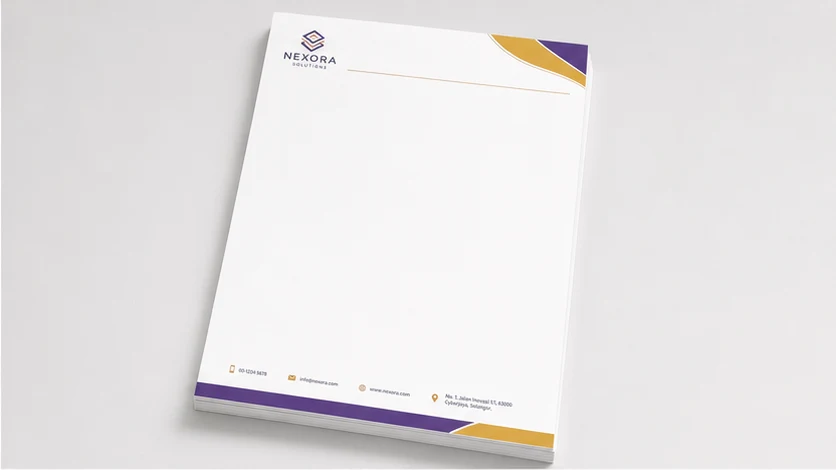
A logo may look sharp in an email signature but turn soft when enlarged for a banner, box or sign. The useful question isn't whether vector is always better; it's whether the file preserves the shapes, colours and detail needed at the final production size.
Send the original vector logo when available, especially for text, icons, line art, cut paths and artwork that must scale. Keep raster files for photographs, textures and pixel-based effects, but supply the highest-quality original at its intended size. A PDF, SVG or AI filename alone doesn't prove that every element inside is vector, so ask for a production check.
What matters most
- Use original vector artwork for scalable logo shapes and clean edges.
- Use raster artwork for photographs and pixel-based detail at sufficient resolution.
- Don't judge a file only by its extension or phone-screen appearance.
- Check the logo at the smallest and largest intended print sizes.
- Send every plausible original and have the production file assessed in context.
What is the practical difference?
Vector artwork describes shapes with paths, points, fills and strokes. Those shapes can normally be resized without becoming blocky, which makes vector files useful when the same logo appears on a name card, letterhead, banner or sign.
Raster artwork is built from a fixed grid of pixels. It suits photographs, painted textures, shadows and other continuous-tone images. Enlarging it beyond the available detail can expose soft edges or visible pixels; simply increasing the document's resolution setting doesn't recreate detail that was never captured.
Many real files contain both. A vector layout can include a raster photograph, and a PDF can hold vector text beside a low-resolution logo. The container format is therefore a clue, not proof of production quality.
When should a logo be vector?
Prefer an original vector source for flat-colour logos, lettering, icons, diagrams and shapes that need clean edges at several sizes. It also helps when a production process needs a precise outline, such as a cut path for signage lettering or certain signage artwork.
Common editable or exchange formats include AI, EPS, SVG and some PDFs. Their suitability still depends on what is inside, whether fonts and linked assets are handled correctly, and whether the file opens as intended. Converting a small JPEG to SVG or placing it in an AI document doesn't rebuild the logo as paths.
Retain an editable master before outlining text or expanding effects. Outlined text can protect its appearance in an agreed workflow, but it becomes harder to correct if a name or phone number changes.
When is raster the right choice?
Raster is appropriate when the artwork contains a photograph, realistic texture, scanned illustration or effect that genuinely depends on pixels. Use the original export or camera file rather than a screenshot, messaging-app copy or image repeatedly downloaded from social media.
Ask for the intended physical size and viewing situation to be checked together. A small logo on a letterhead and a large logo on a shop sign create different demands. There is no honest universal pixel dimension for every product, material and process.
If the logo exists only as raster, don't repeatedly resave it. Send the best original plus a clear reference showing the correct colours and proportions. Any redraw, cleanup or reconstruction should be identified and quoted as artwork work rather than assumed.
Use a three-check file test
Zoom into a curved letter or diagonal line. Vector paths should remain mathematically smooth in a suitable editor; raster edges eventually reveal pixels. This edge check diagnoses structure, not final print quality on its own.
Place the logo at both intended extremes—for example, the width required on a name card and the width proposed for a display. Check small text, thin gaps, reversed marks and registered symbols. A scalable file can still contain details that become unreadable when printed very small.
Ask where the file came from. An original designer export is more useful than a logo copied from a website header. Open the package and check for missing fonts, linked images, clipping masks, transparency and hidden versions before approving the proof.
- Edge check: inspect curves and diagonal lines for pixel structure.
- Scale check: test the smallest and largest intended uses.
- Source check: identify the original export and inspect linked assets.
Worked example: one logo for a letterhead and a sign
Suppose a business sends a 600-pixel PNG logo for an A4 letterhead and a wide reception sign. The PNG may be adequate for the small letterhead placement after a production check, yet become visibly soft at the sign size.
A better brief says: We need the same logo on A4 letterheads and a reception sign. Attached are the PNG currently in use, an older PDF and the brand-colour reference. Please check whether the PDF contains usable vector artwork, confirm the logo size on each item, and identify any cleanup or redraw before quoting. Keep the wording and proportions unchanged.
This is an explanatory scenario, not a Seri Jadi customer or completed job. Final material, process, colour handling, artwork scope, proof arrangement, price and timing are confirmed per job.
Copy-and-send logo file brief
Send the files through Seri Jadi's graphic design and print-artwork page or contact page. The related print-ready artwork guide covers size, bleed, fonts, colour and PDF checks beyond the logo itself.
- Printed items, finished size and logo width on each item.
- Quantity and smallest and largest intended use.
- Available AI, EPS, SVG, PDF, PNG, JPEG or other source files.
- Whether the original designer or file source is known.
- Whether photos, textures or effects appear inside the logo.
- Brand-colour reference and confirmation of wording and proportions.
- Artwork help requested: checking, cleanup or redraw to be quoted.
- Required date and fulfilment postcode.
Frequently asked questions
Is a PDF logo always vector?
No. A PDF can contain vector paths, raster images or both. Open and inspect the contents rather than trusting the extension.
Can a blurry logo be converted to vector automatically?
Automatic tracing may create too many points, change corners or distort small lettering. Compare any traced result with the approved logo and treat cleanup or redraw as a separate artwork task.
What if I only have a PNG or JPEG?
Send the largest original available without further resaving, state the required print size and include any older source files or printed samples. The production team can assess what is usable and whether reconstruction needs to be quoted.
Sources consulted
Sources support the general guidance; the final choice still depends on the actual job.
- Google Autocomplete Malaysia: vector vs raster printing
- Raster vs. vector files: What's the difference? — Adobe
- Graphic Design and Print Artwork in Sungai Petani — Seri Jadi
- Graphic Design and Artwork Cetakan Sungai Petani — Seri Jadi
- What Does Print-Ready Artwork Mean? — Seri Jadi
- Apa Maksud Artwork Sedia Cetak? — Seri Jadi
- Article structured data — Google Search Central
Send Seri Jadi the printed item, finished size, quantity, available logo files, artwork status, required date and fulfilment postcode. File suitability, cleanup or redraw, proof arrangement, colour handling, price and timing are confirmed for the individual job.
WhatsApp +60 10-451 8088